> For the complete documentation index, see [llms.txt](https://docs.valohai.com/llms.txt). Markdown versions of documentation pages are available by appending `.md` to page URLs; this page is available as [Markdown](https://docs.valohai.com/tasks/grid-search.md).
# Grid Search
Grid Search tests all possible combinations of your specified parameter values.
It's the most thorough approach, every combination gets evaluated. This works well when you have a manageable parameter space and want exhaustive results.
> 💡 **Tip:** For large parameter spaces, consider [Random Search](/tasks/random-search.md) or [Bayesian Optimization](/tasks/bayesian-optimization.md) to reduce execution count.
### Before you start
You need at least one step with parameters defined in your `valohai.yaml`:
```yaml
- step:
name: train-model
image: tensorflow/tensorflow:2.6.0
command:
- python train.py {parameters}
parameters:
- name: learning_rate
default: 0.001
type: float
- name: batch_size
default: 32
type: integer
```
You can also launch a Task from a completed execution without editing your YAML.
### Parameter types
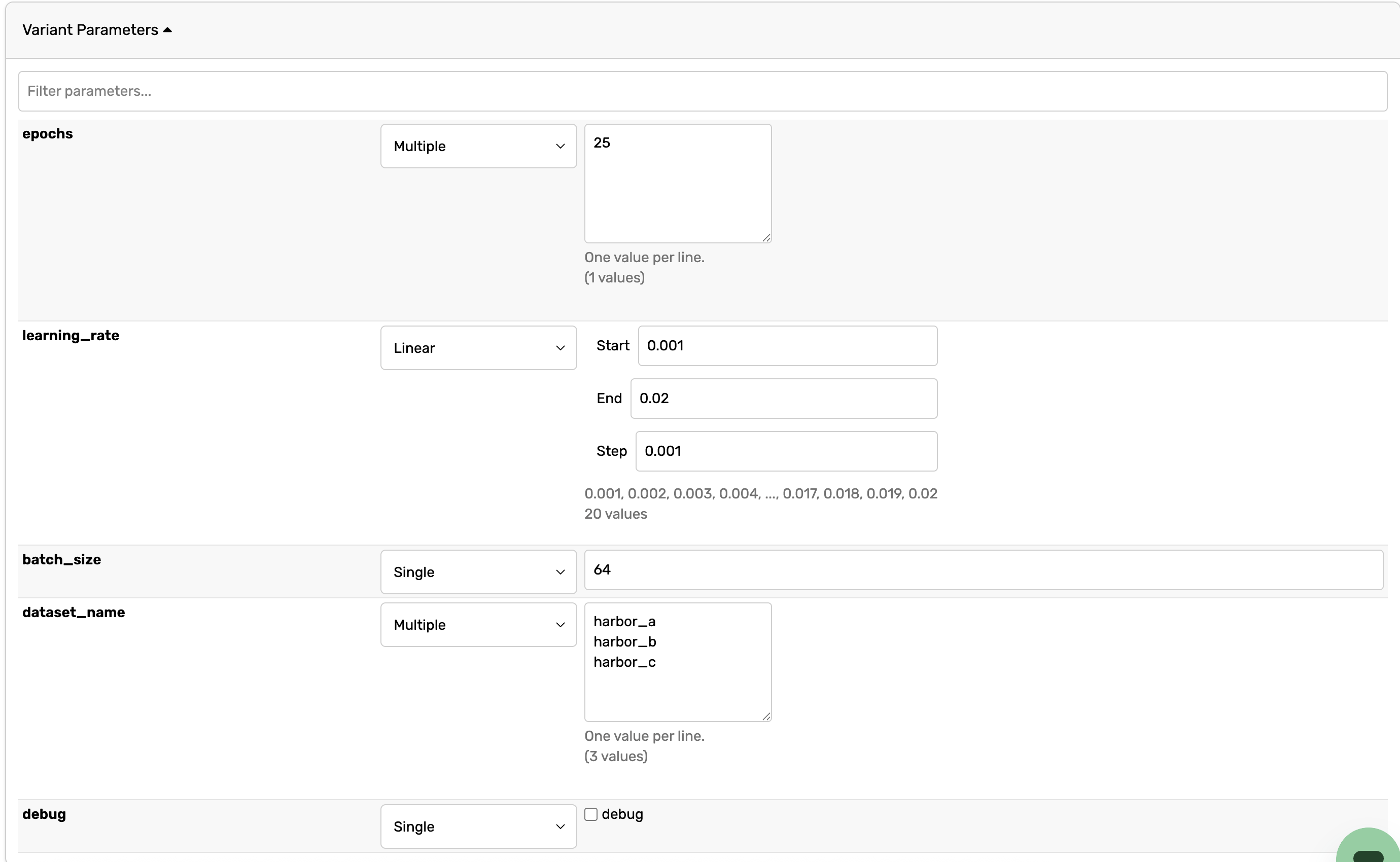
When creating a Grid Search Task, you can define parameters using these types:
**Single:** Use one specific value for this parameter across all executions.
**Multiple:** Provide a list of discrete values. Valohai will test every combination with other parameters.
**Linear:** Generate evenly spaced values between a minimum and maximum (e.g., `0.001, 0.002, 0.003`).
**Logspace**: Generates values that are evenly spaced on a logarithmic scale, which means each step multiplies by a constant factor rather than adding a constant amount.
### Create a Grid Search from Git
1. Open your project in Valohai
2. Go to the **Tasks** tab
3. Click **Create Task**
4. Select the step that contains your parameters
5. Scroll to **Parameters**
6. Confirm **Grid search** is selected as the Task type (this is the default)
7. For each parameter:
* Choose the type (Single, Multiple, Linear, Logspace)
* Enter the values:
* **Multiple:** One value per line
* **Linear/Logspace:** Min, max, and count
8. Click **Create task**
Valohai will queue executions for every parameter combination and start running them in parallel.
### Create a Grid Search from an execution
If you've already run an execution and want to explore variations:
1. Open your project in Valohai
2. Go to the **Executions** tab and open a completed execution
3. Click the **Task** button in the top-right corner
4. Scroll to **Parameters**
5. Confirm **Grid search** is selected
6. Configure parameter values as described above
7. Click **Create task**
### Example: Grid Search Task
This configuration creates 12 executions (3 learning rates × 4 batch sizes):
| **Parameter** | **Type** | **Values** |
| -------------- | -------- | ---------------- |
| learning\_rate | Multiple | 0.001, 0.01, 0.1 |
| batch\_size | Multiple | 16, 32, 64, 128 |
Each execution will train with one unique combination, and you can compare results in the Task view.
### Next steps
* [Bayesian Optimization](/tasks/bayesian-optimization.md) for intelligent hyperparameter search
* [Manual Sweeps](/tasks/manual-sweeps.md) to specify exact parameter combinations
* [Task Blueprints](/tasks/task-blueprints.md) to define Tasks in your YAML
---
# Agent Instructions
This documentation is published with GitBook. GitBook is the documentation platform designed so that both humans and AI agents can read, navigate, and reason over technical content effectively. Learn more at gitbook.com.
## Querying This Documentation
If you need additional information that is not directly available in this page, you can query the documentation by asking a question.
Perform an HTTP GET request on the following URL with the `ask` and `goal` query parameters:
```
GET https://docs.valohai.com/tasks/grid-search.md?ask=&goal=
```
`ask` is the immediate question: it should be specific, self-contained, and written in natural language.
`goal` is what the user is ultimately trying to achieve, the reason they need the answer. Sharing it helps GitBook give you a better, more relevant answer. A goal is most helpful when it describes the outcome the user wants rather than restating the question. For example, with `ask=how do I create an API token`, a goal like `automate deployments from our CI pipeline` lets GitBook tailor the answer to that use case.
The response will contain a direct answer to the question and relevant excerpts and sources from the documentation.
Use this mechanism when the answer is not explicitly present in the current page, you need clarification or additional context, or you want to retrieve related documentation sections.